

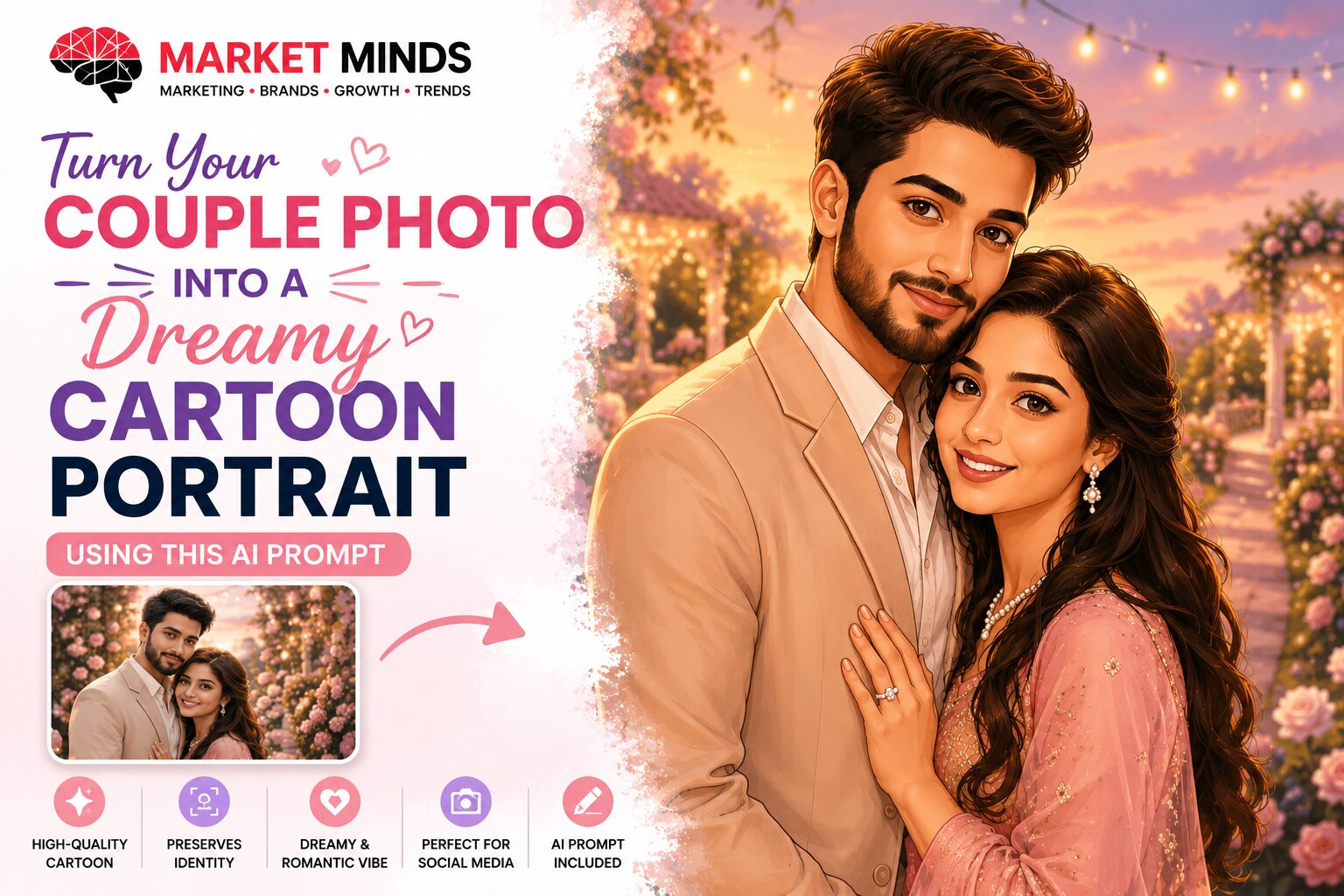
Turn Your Couple Photo into a Dreamy Cartoon Portrait Using This AI Prompt

AI Summary
Transform a normal couple photograph into a dreamy cartoon portrait using a detailed AI image prompt. The prompt helps preserve both people’s recognisable facial features while adding a soft, illustrated style, a romantic background, warm lighting, and a premium storybook appearance.
The final image can be used for anniversary posts, wedding memories, profile pictures, mobile wallpapers, personalised gifts or social media creatives.
Suggested AI Platforms
ChatGPT Images
Google Gemini
Adobe Firefly
Microsoft Designer
Leonardo AI
How to Use This Prompt
- Open any supported AI image-generation platform.
- Start a new image-generation or image-editing conversation.
- Upload a clear photograph of the couple.
- Wait until the photograph is fully uploaded and visible in the conversation.
- Copy and paste the prompt given below.
- Replace any details you want to customise, such as the background, clothing, mood or image ratio.
- Generate the image and check whether both faces are recognisable.
- Use a follow-up instruction for small corrections instead of generating everything again.
For example:
“Keep everything unchanged, but make both faces closer to the uploaded photograph.”
AI Prompt
Transform the uploaded couple photograph into a dreamy, high-quality cartoon portrait.

Use the uploaded photograph as the primary identity reference.

Preserve the recognisable facial identity of both people, including their face shape, skin tone, age range, hairstyle, hair colour, expressions and distinctive facial features.

Keep both people clearly recognisable as the same individuals shown in the reference photograph.

Create a polished modern cartoon illustration with soft facial details, expressive but natural eyes, smooth shading, clean outlines and a premium storybook appearance.

Show the couple in a warm and affectionate pose. Preserve their natural height difference and realistic body proportions.

Place them in a romantic sunset garden with soft flowers, warm fairy lights, a pastel sky and subtle golden lighting.

Use a warm colour palette featuring blush pink, peach, soft gold, lavender and cream.

Create a joyful, peaceful and romantic mood.

Use a half-body composition in a 4:5 vertical aspect ratio suitable for Instagram.

Keep the image professionally finished, highly detailed and suitable for social media sharing or printing.

Do not change the couple’s identity.
Do not merge their facial features.
Do not add extra people, fingers or limbs.
Do not distort their faces or body proportions.
Do not add text unless specifically requested.
Tips for Better Results
- Use a clear, high-resolution photograph where both faces are visible.
- Choose a photograph with good lighting and minimal facial shadows.
- Avoid blurred, distant, heavily filtered or low-quality images.
- Use a front-facing or slightly angled photograph for better facial accuracy.
- Avoid photographs where sunglasses, hair or hands cover important facial features.
- Upload only one main reference photograph initially. Too many reference images may confuse the AI.
- Mention the desired background, clothing, mood and aspect ratio clearly.
- For a more realistic result, replace “cartoon portrait” with “semi-realistic digital illustration.”
- For Instagram Stories or mobile wallpaper, change the aspect ratio to 9:16.
- For a profile picture, use a close-up 1:1 square composition.
- For printing, request a high-resolution portrait with clean facial details.
- Make one correction at a time.
Useful follow-up instructions include:
“Keep the background and clothing unchanged, but improve the facial resemblance.”
“Preserve both faces and replace only the background with a beach sunset.”
“Keep the woman unchanged and make the man’s hairstyle closer to the reference photograph.”
“Maintain the same composition but make the illustration slightly more realistic.”
Important Privacy Notice
- Upload only photographs that you own or have permission to use.
- Make sure both people have agreed to the photograph being edited through AI.
- Avoid uploading private, intimate or sensitive photographs to unfamiliar platforms.
- Review the platform’s privacy policy, image-storage policy and content-use terms before uploading personal photographs.
- Do not upload identity documents, personal records or photographs containing sensitive information in the background.